 |
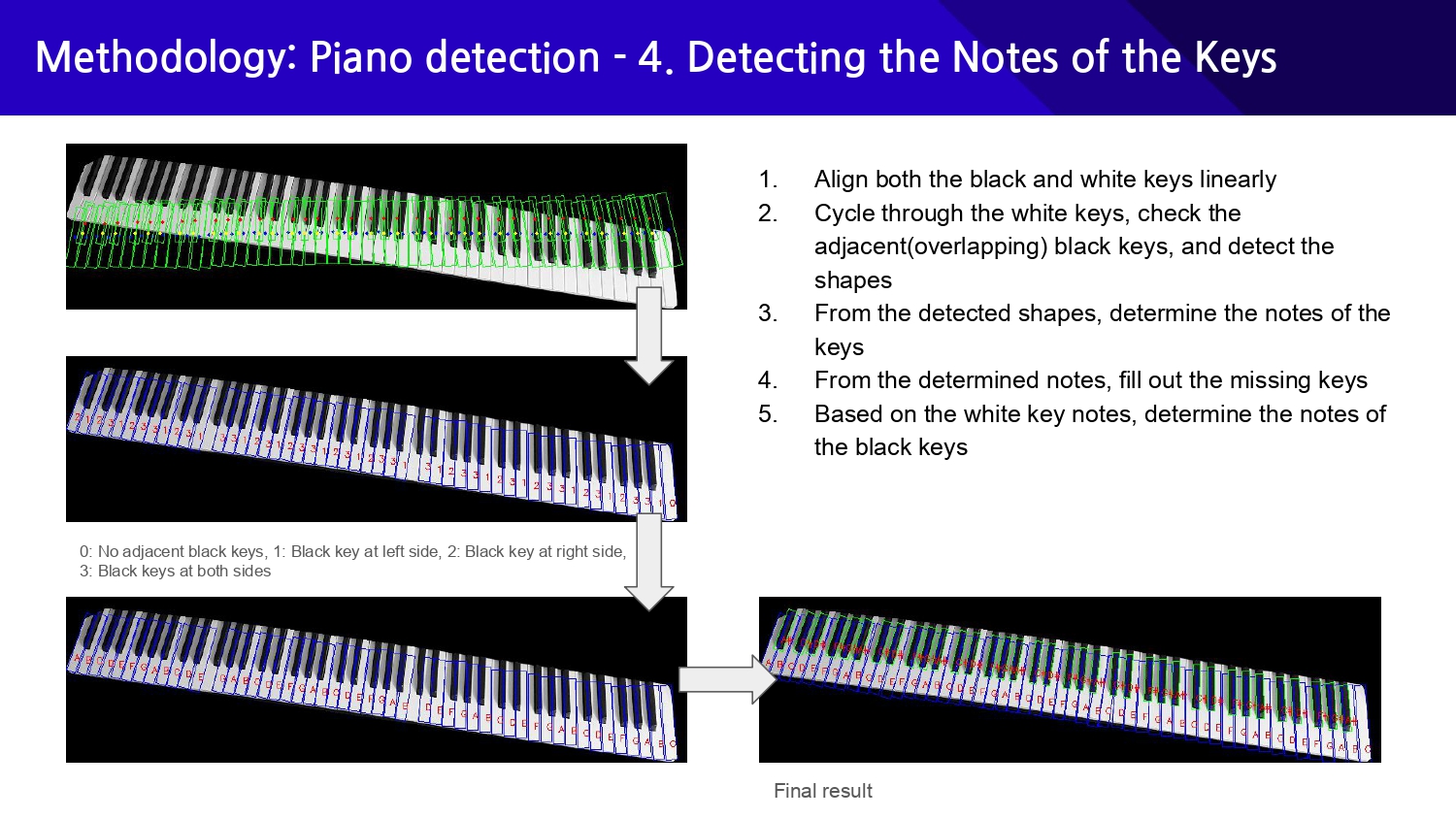
At first, we manually compared each white key with all the black keys to check whether they overlapped with which side of the white key, but this method did not work well when the image was tilted or when the detected rectangles were not intersecting even if they were adjacent to each other. Furthermore, manually calculating the overlapping area resulted in massive overheads.
So, to compensate for the tilting of the image, we first linearly aligned all the detected rectangles(both white and black ones), sorted them by x-coordinates, and stored them in the array. This way, we can check which keys are adjacent or overlap with which keys more accurately and identify the shape of keys by checking the neighboring elements in the sorted array.
We can finally detect each key's notes by identifying the pattern in the sequences of detected shapes. Also, we can detect the missing spots from the keyboard and fill them out based on the individual notes of the keys we gathered from all the prior steps.
|
 IEEE/ICACT20250052 Slide.11
[Big Slide]
IEEE/ICACT20250052 Slide.11
[Big Slide]