ICACT20250052 Slide.17
[Big slide for presentation]
ICACT20250052 Slide.17
[Big slide for presentation]
|
Chrome Text-to-Speach Click!! Click!! |
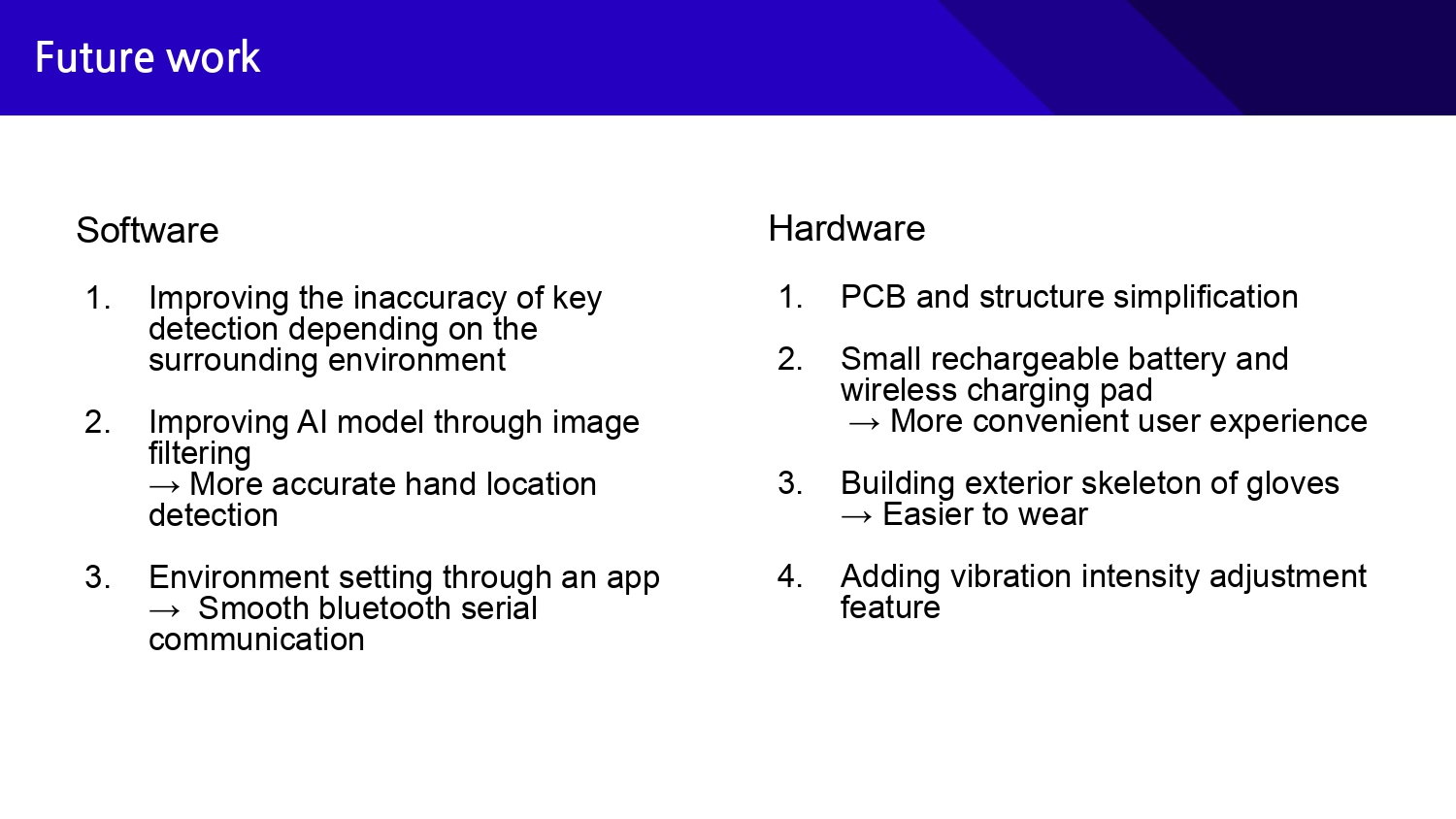 |
As for the future work in terms of software, there are improvements to be made in model accuracy and implementation of environment setting communication.
And in the hardware, adding rechargeable batteries and external frames for ease of use can be points of improvement.
So that is the end of our presentation, and if you have any questions, please feel free to ask us. Thank you.
|
|
ICACT20250052 Slide.16
[Big slide for presentation]
|
Chrome Text-to-Speach Click!! |
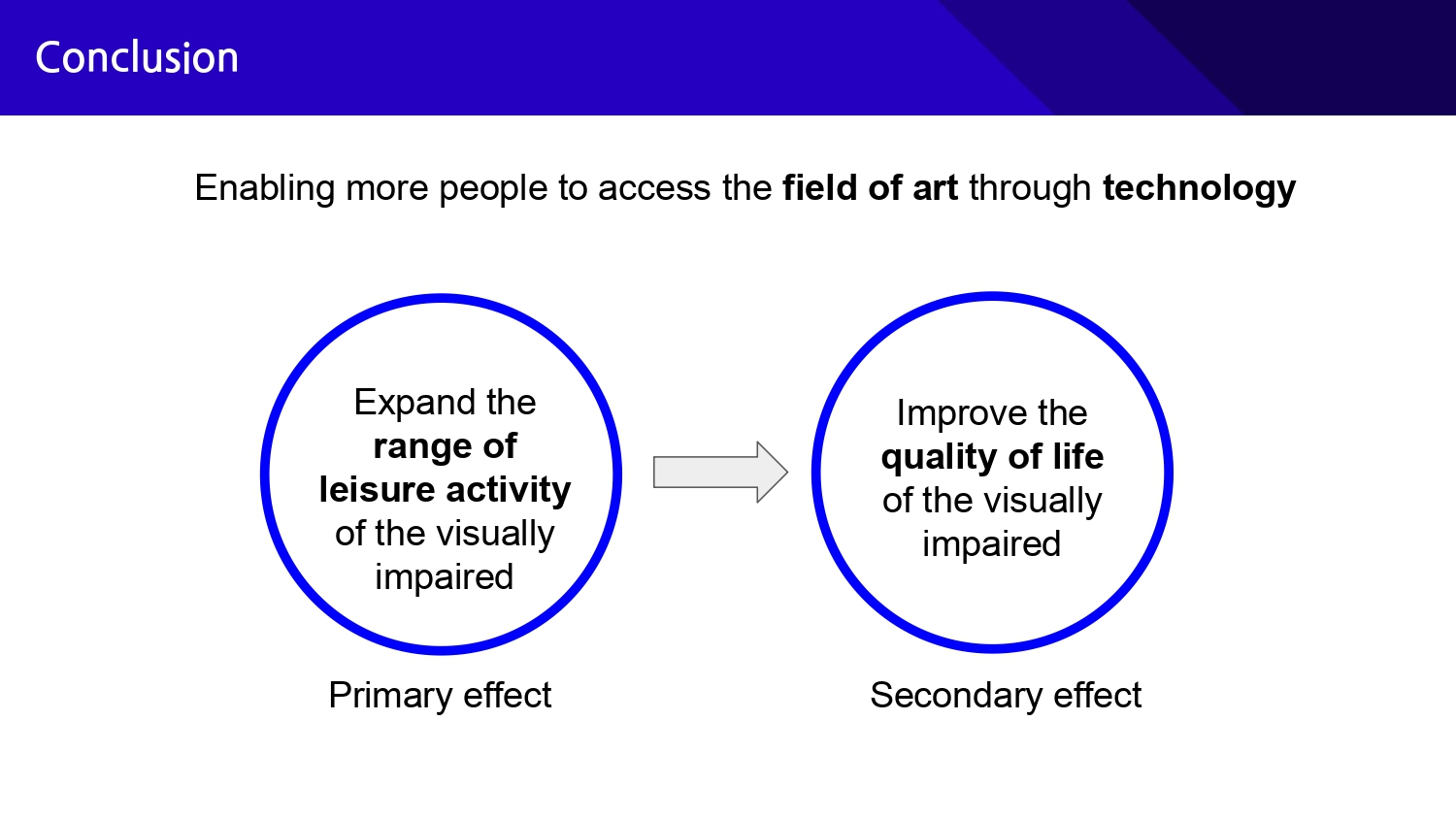 |
In conclusion, the most significant contribution of our research is the elimination of the use of braille sheet music for visually impaired pianists.
Our research can be seen as increasing the accessibility of cultural life, improving the range of leisure activities and quality of life of the visually impaired.
Therefore, our ultimate goal is to increase the number of visually impaired people who are satisfied with their leisure activities from the current 50.5%.
|
|
ICACT20250052 Slide.15
[Big slide for presentation]
|
Chrome Text-to-Speach Click!! |
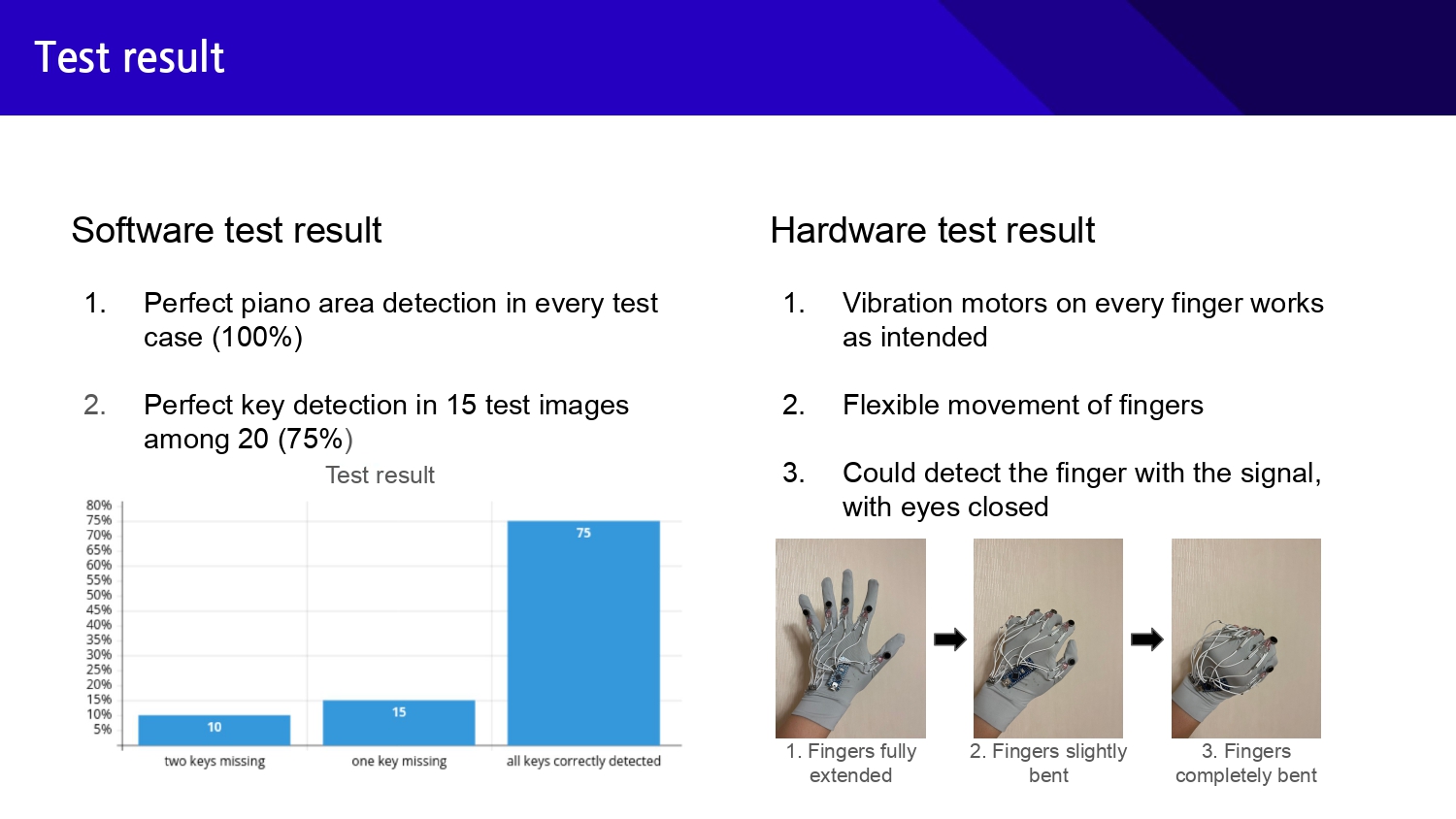 |
We were able to successfully validate the effectiveness of our solution.
In the piano area detection, all 20 out of 20 test cases were detected accurately. In the piano key detection, errors occurred in 5 out of 20 test cases. This is because the outline of the keys was not accurately visible due to factors such as brightness of the image.
In addition, when testing the glove, the vibration motors on all fingers responded correctly to the signal, there was no sense of discomfort when stretching the fingers, and the vibration signal could be recognized even with the eyes closed.
|
|
ICACT20250052 Slide.14
[Big slide for presentation]
|
Chrome Text-to-Speach Click!! |
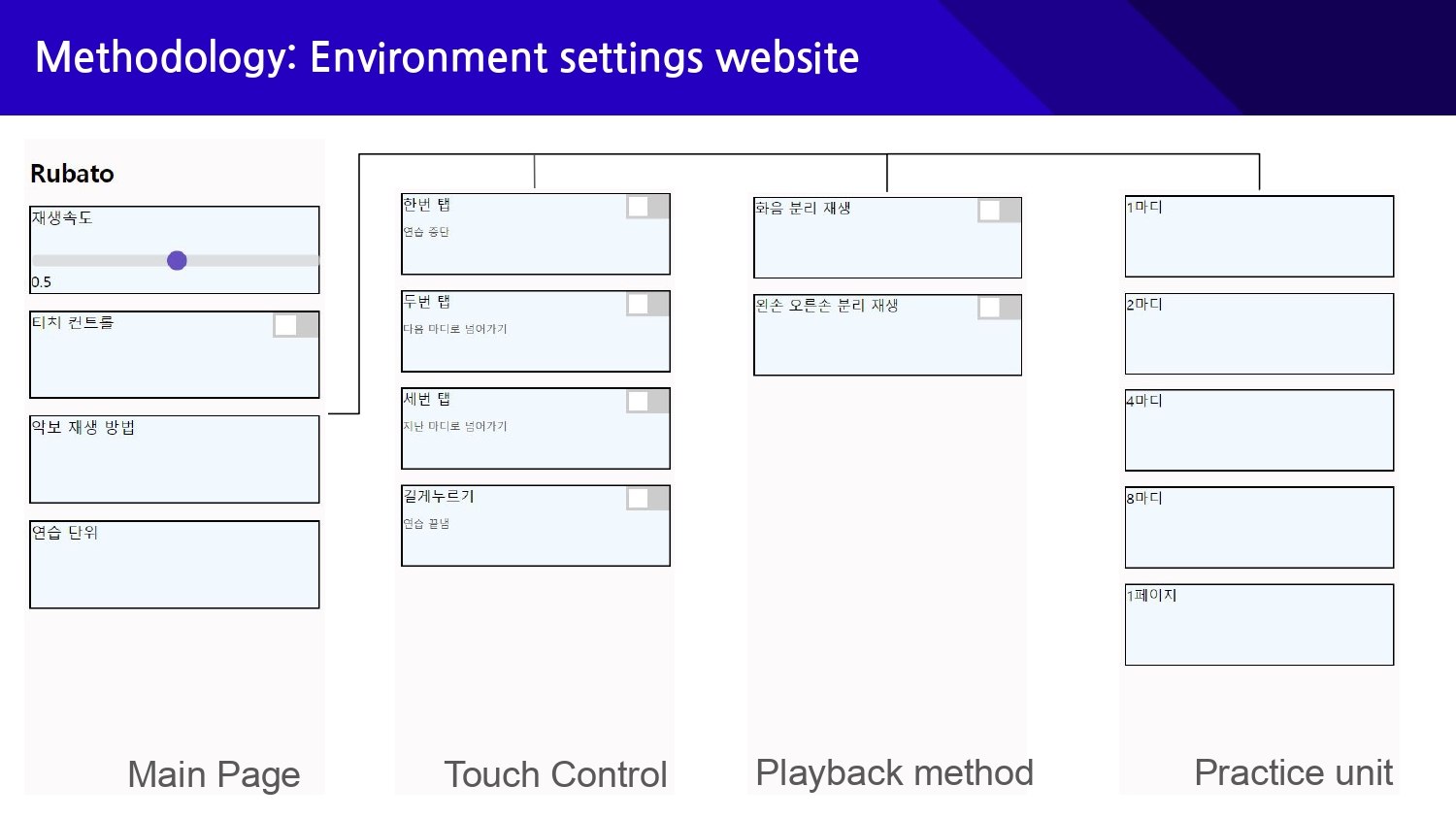 |
The user can customize the learning experience through the environment settings website.
The website provides the ability to set the sheet music playback speed, touch control, sheet music playback method, and practice units.
Since it is used by the visually impaired, we focused on UX design rather than UI, such as widening the width of each section.
|
|
ICACT20250052 Slide.13
[Big slide for presentation]
|
Chrome Text-to-Speach Click!! |
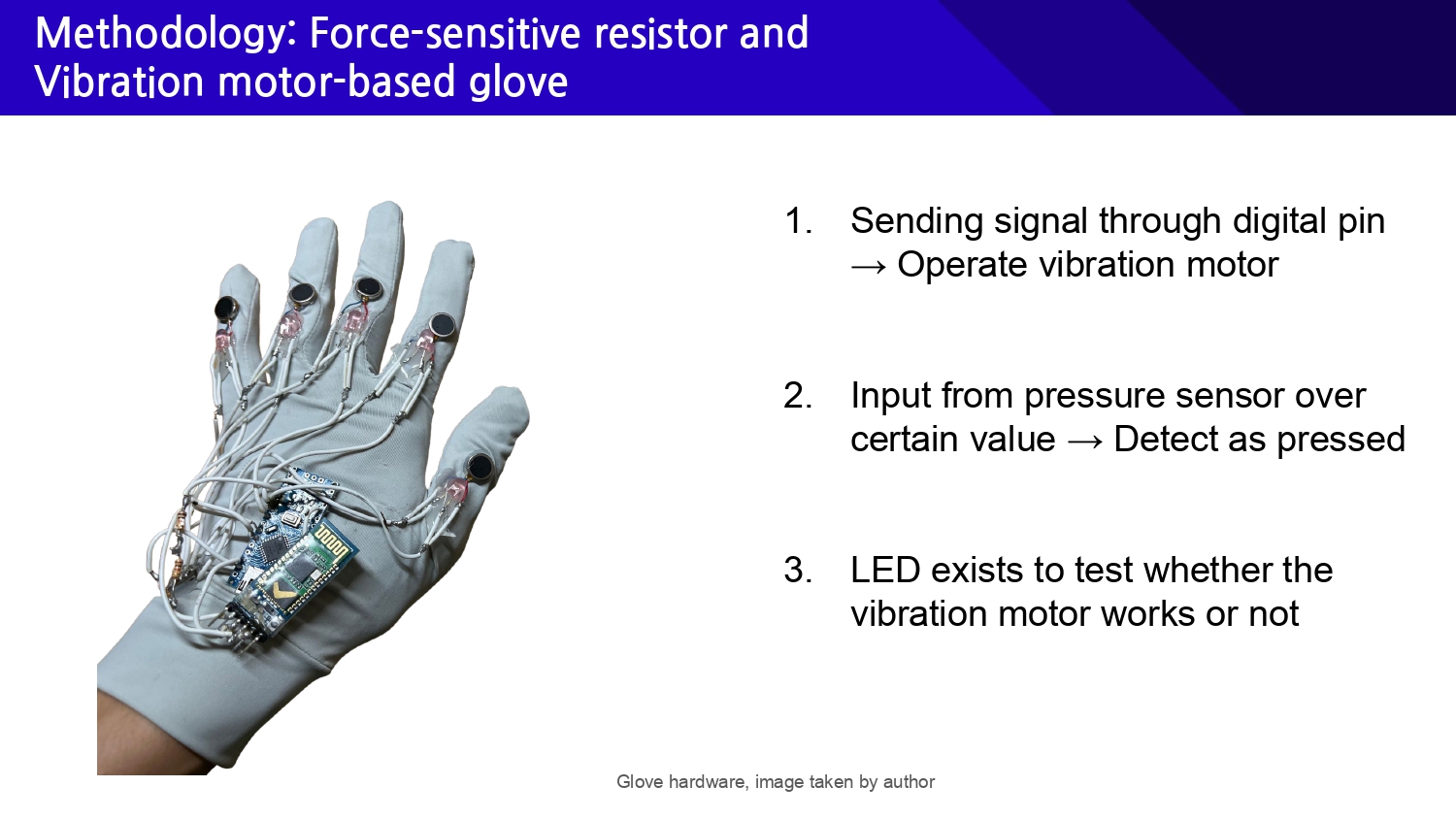 |
The piano key and hand detection performed by the central system is then communicated to the gloves worn by the user.
On the glove, there is a vibration motor and force-sensitive resistor attached to each finger.
The motor on each finger vibrates when it hovers over the key to be played, and the pressure sensor on the other side determines whether the key is pressed and notifies the central system.
This eliminates the need for braille music, making it possible to play the piano without having to memorize the entire piece.
|
|
ICACT20250052 Slide.12
[Big slide for presentation]
|
Chrome Text-to-Speach Click!! |
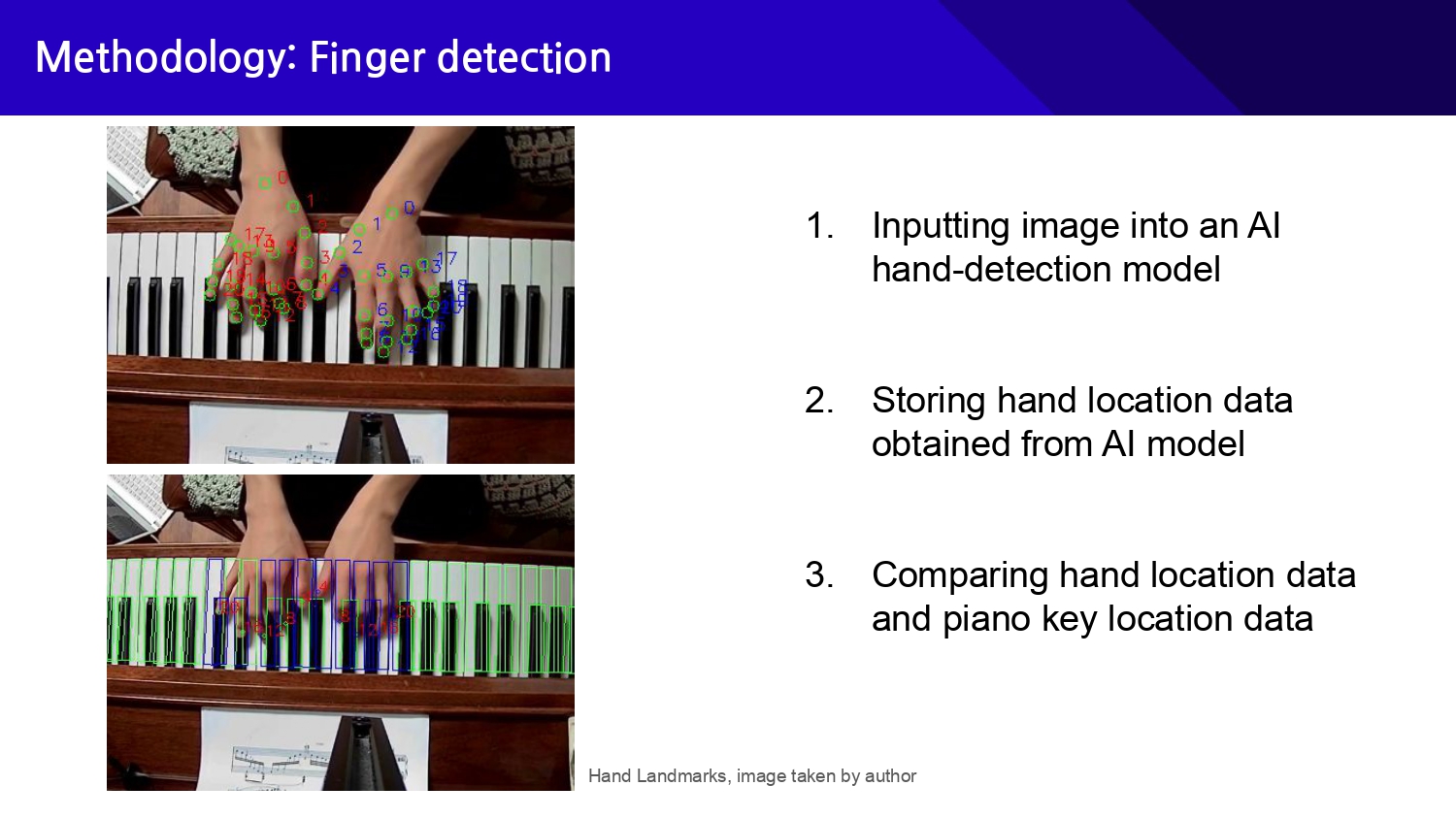 |
After detecting all the areas of each key, we can now input the image that contains the user's hand into the AI hand-detection model. We used the MediaPipe’s hand detection model to extract the coordinates of hands’ landmarks and compared them with the piano keys’ area to finally fetch the data that tells which keys the user’s hands are placed on.
|
|
ICACT20250052 Slide.11
[Big slide for presentation]
|
Chrome Text-to-Speach Click!! |
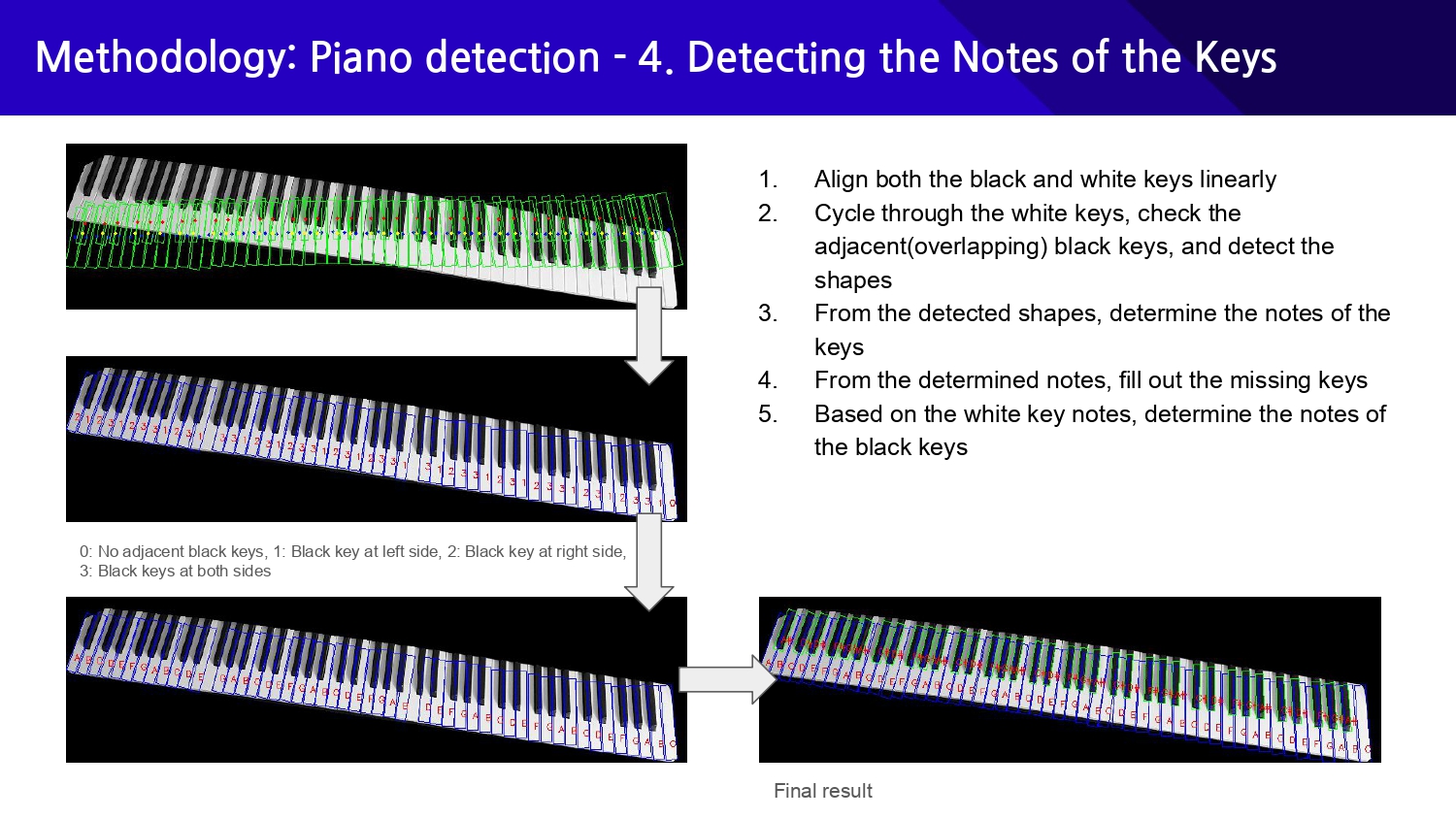 |
At first, we manually compared each white key with all the black keys to check whether they overlapped with which side of the white key, but this method did not work well when the image was tilted or when the detected rectangles were not intersecting even if they were adjacent to each other. Furthermore, manually calculating the overlapping area resulted in massive overheads.
So, to compensate for the tilting of the image, we first linearly aligned all the detected rectangles(both white and black ones), sorted them by x-coordinates, and stored them in the array. This way, we can check which keys are adjacent or overlap with which keys more accurately and identify the shape of keys by checking the neighboring elements in the sorted array.
We can finally detect each key's notes by identifying the pattern in the sequences of detected shapes. Also, we can detect the missing spots from the keyboard and fill them out based on the individual notes of the keys we gathered from all the prior steps.
|
|
ICACT20250052 Slide.10
[Big slide for presentation]
|
Chrome Text-to-Speach Click!! |
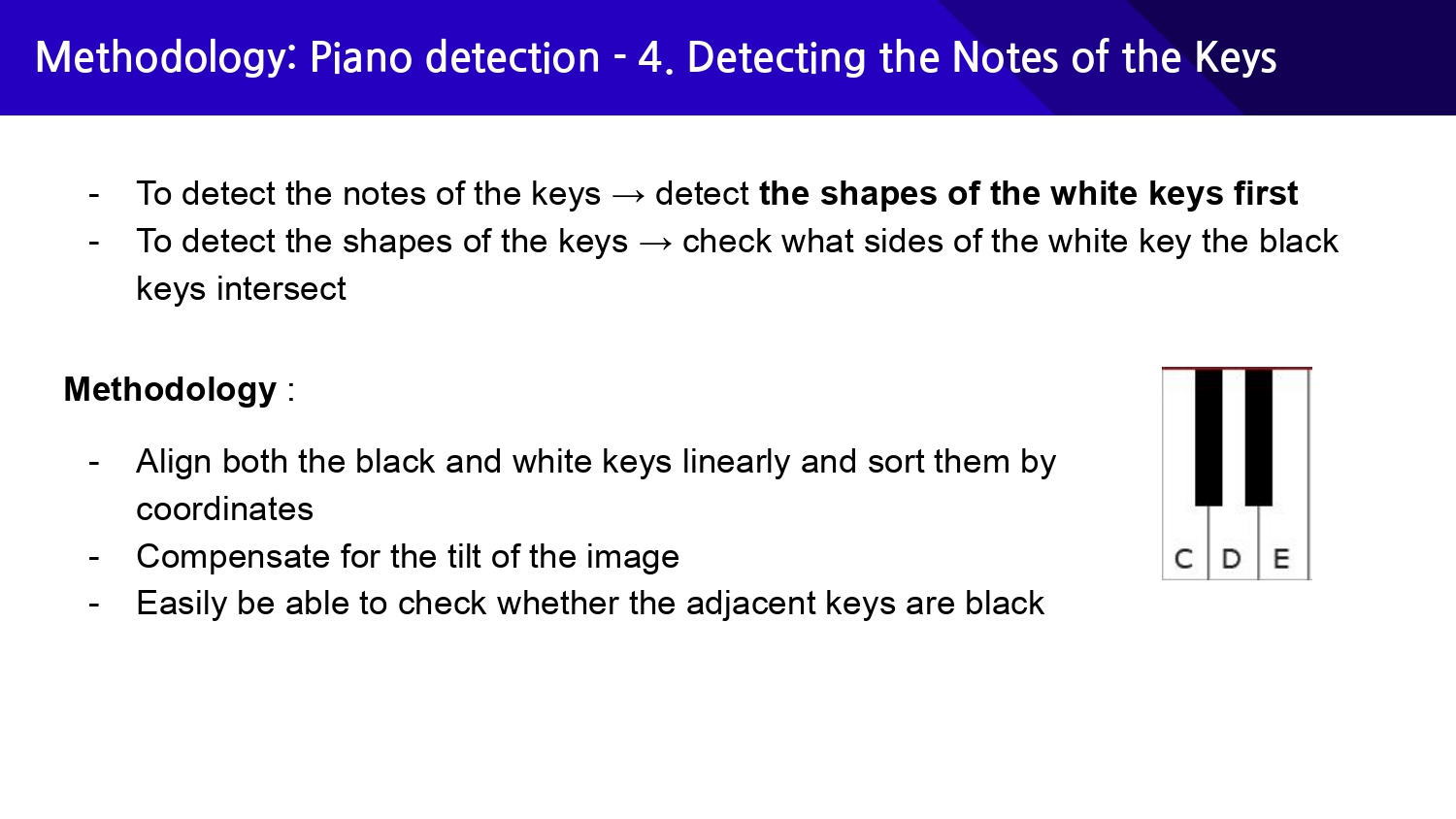 |
Now comes the most essential part of the process: to detect each key's notes. We will heavily focus on detecting white keys' notes as finding out the notes of black keys becomes pretty easy when we figure out all the notes of white keys.
To detect the notes of the keys, we first need to detect the shapes of the keys, which we can do by checking what sides of the white key the black keys intersect.
|
|
ICACT20250052 Slide.09
[Big slide for presentation]
|
Chrome Text-to-Speach Click!! |
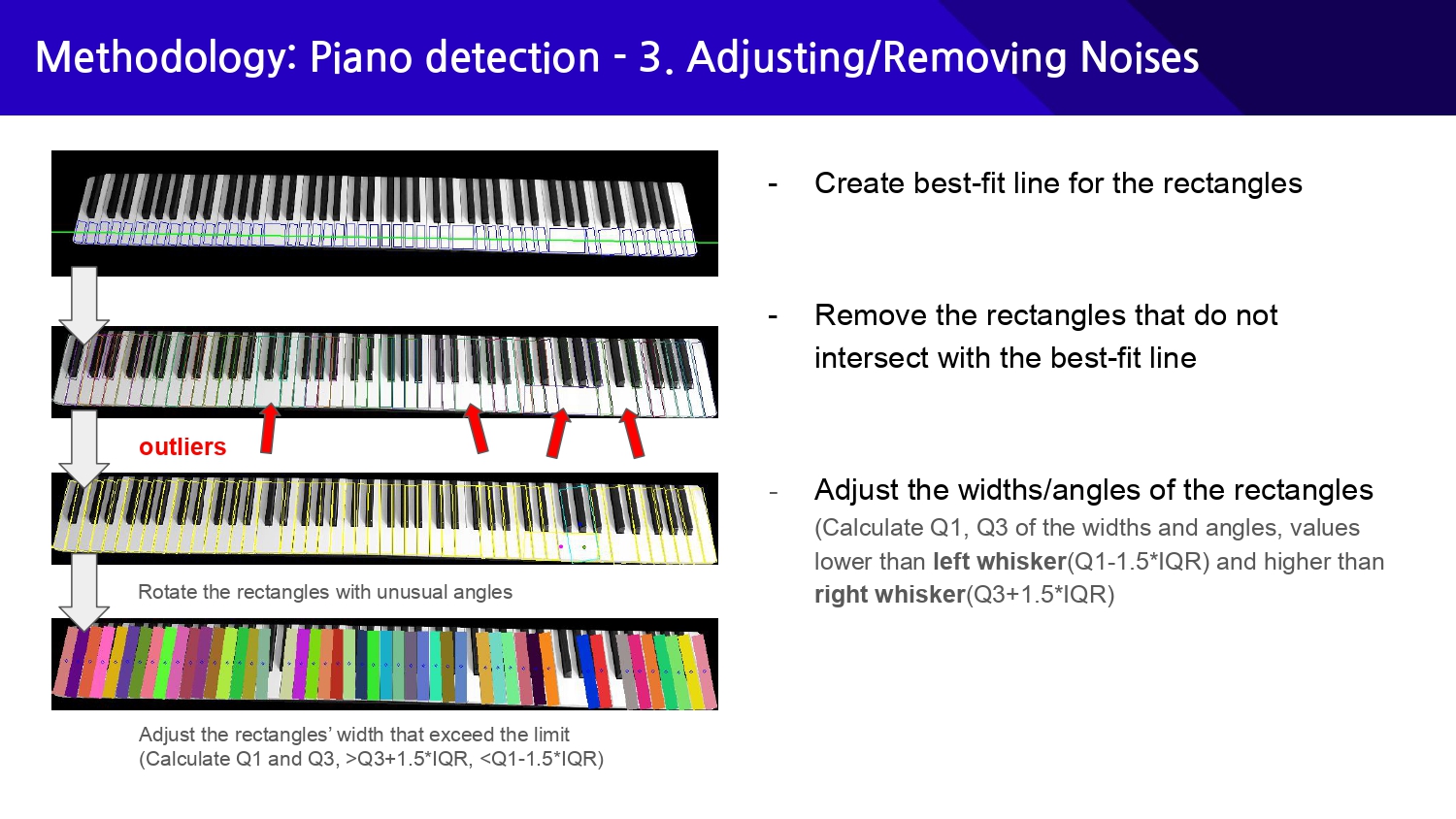 |
Oftentimes, the contour detection algorithm may mistake the noise in the image as a contour of a piano key, having to remove the incorrectly detected contours. To do this, we can use the fact that adequately extracted piano keys are linearly aligned. By creating the best-fit line from the rectangles' center of masses and removing those that do not intersect with the best-fit line, we can effectively extract only the contours of the piano keys.
Other than that, the detected contours often have imperfections and require adjustments. For instance, when the light reflects on the white surface of piano keys, the outlines of the keys may not be visible to the camera, resulting in contours with erroneously detected sizes or angles. We used the typical method of discriminating the outlier, calculating the left and right whisker values, and sorting out the values that exceed or under the boundary.
|
|
ICACT20250052 Slide.08
[Big slide for presentation]
|
Chrome Text-to-Speach Click!! |
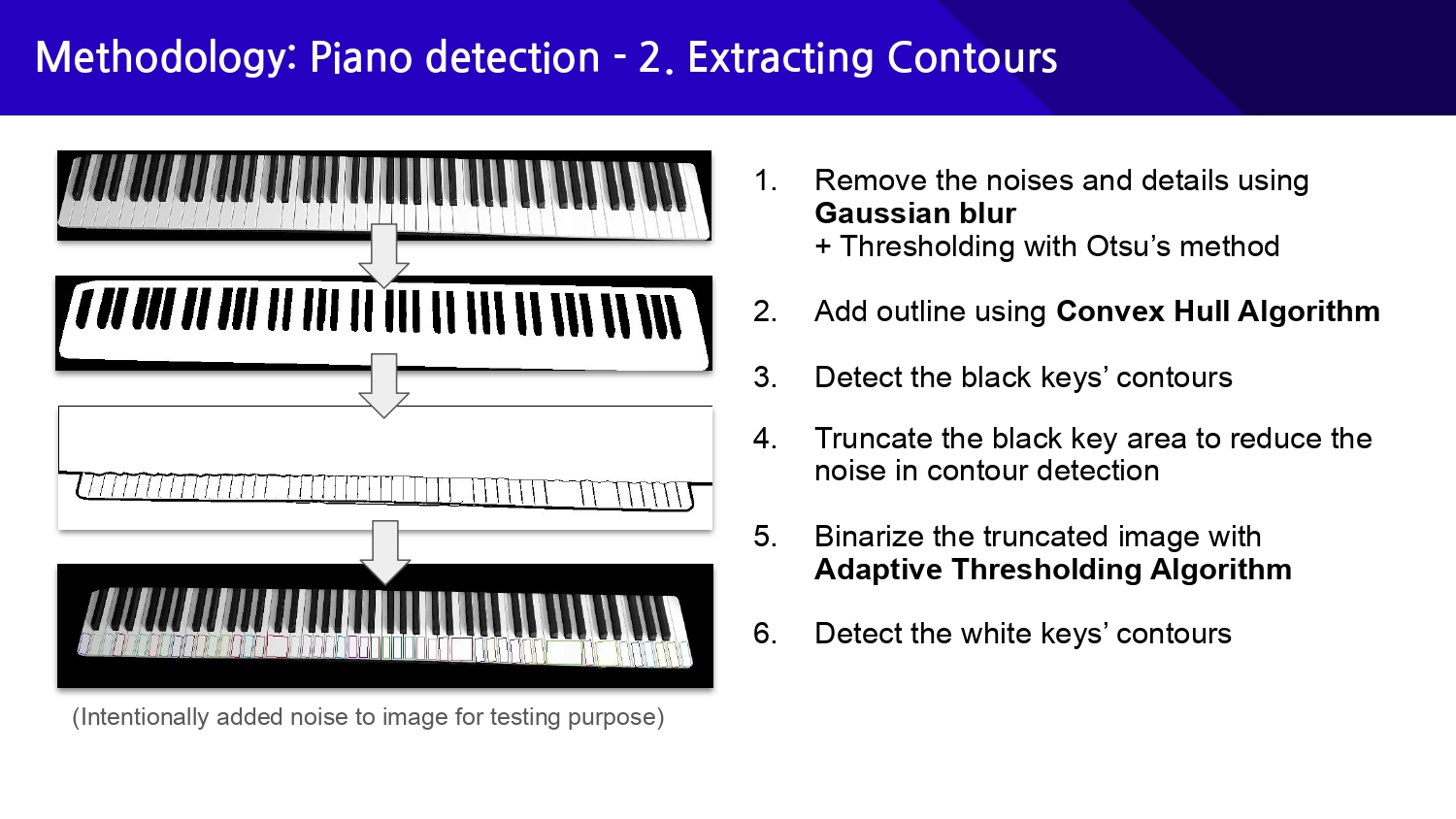 |
We first extract the contours of the black keys, which are relatively easy compared to detecting the white keys. As the black keys cause interference in detecting white keys, we first process the black keys and truncate the detected area.
We use Gaussian blur to remove the details and noises that interfere with the contour detection and also perform Otsu's thresholding for preparing for contour extraction. We further perform the Convex Hull Algorithm in order to add outlines to the image. (Otherwise, the detection won't work because the black keys blend with the black background.) After detecting the black keys' contours using OpenCV's function, we truncate the black key area to reduce the unnecessary noise and binarize the image again with the Adaptive Thresholding Algorithm to finally detect the white keys' contours.
|
|
ICACT20250052 Slide.07
[Big slide for presentation]
|
Chrome Text-to-Speach Click!! |
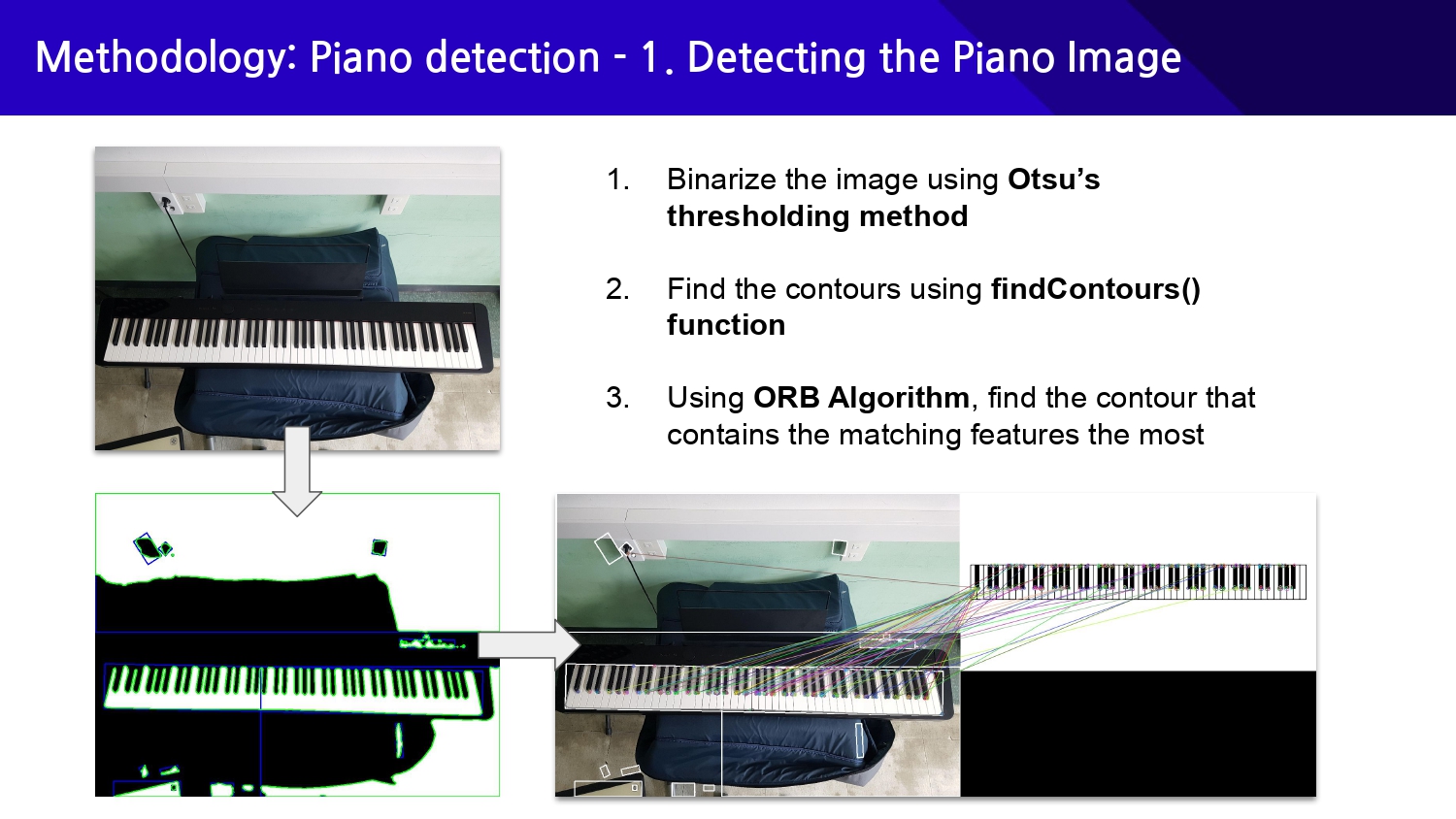 |
We first extract the contours of the black keys, which are relatively easy compared to detecting the white keys. As the black keys cause interference in detecting white keys, we first process the black keys and truncate the detected area.
We use Gaussian blur to remove the details and noises that interfere with the contour detection and also perform Otsu's thresholding for preparing for contour extraction. We further perform the Convex Hull Algorithm in order to add outlines to the image. (Otherwise, the detection won't work because the black keys blend with the black background.) After detecting the black keys' contours using OpenCV's function, we truncate the black key area to reduce the unnecessary noise and binarize the image again with the Adaptive Thresholding Algorithm to finally detect the white keys' contours.
|
|
ICACT20250052 Slide.06
[Big slide for presentation]
|
Chrome Text-to-Speach Click!! |
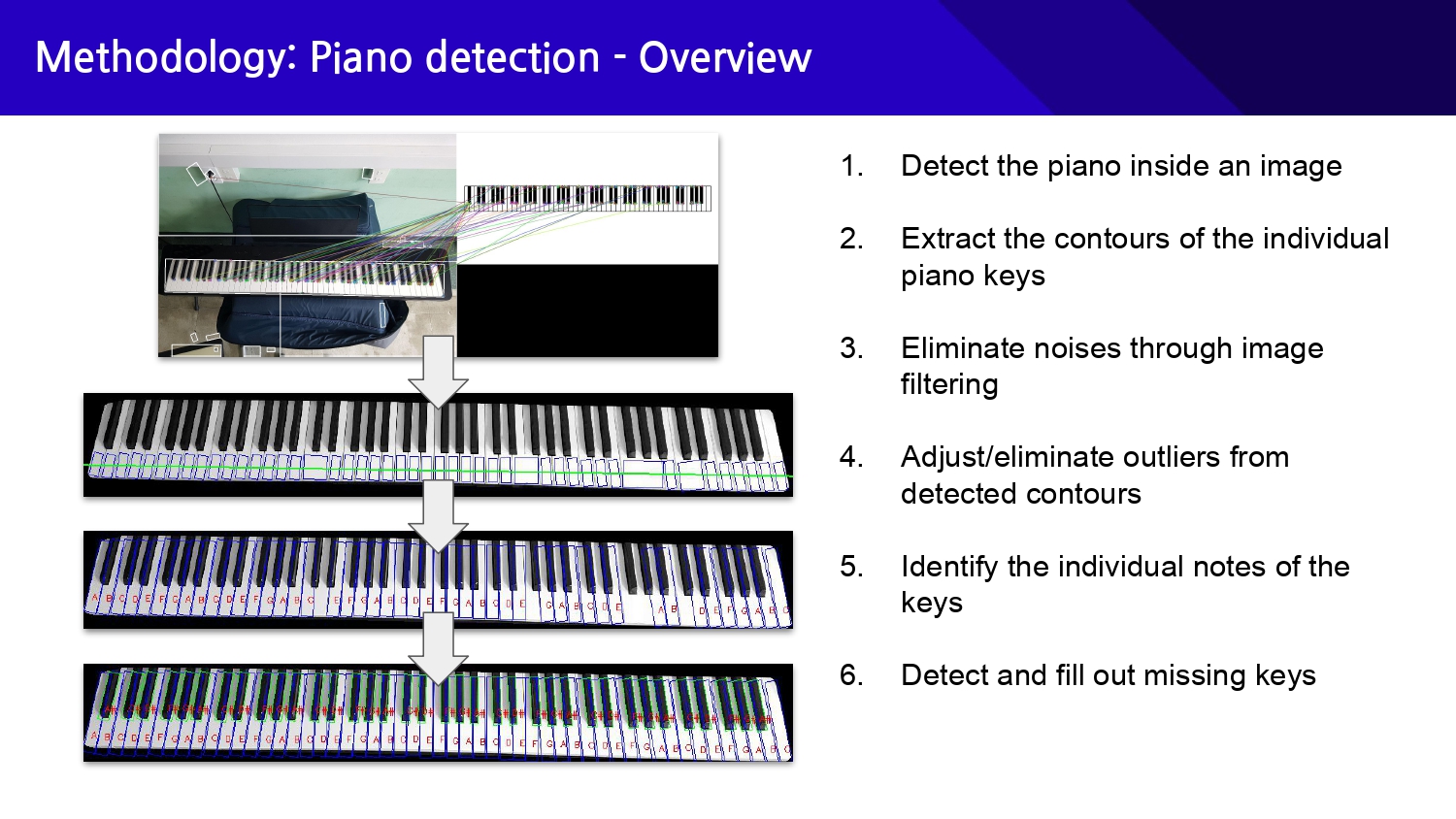 |
Now, I will explain the methodology used in our solutions. We used various image processing techniques to detect what piano keys the user's fingers are placed on. To do this, we first detect the area where the piano is in the image. Next, we extract the contours of the individual keys and eliminate the noises through image filtering. After that, we adjust the outliers and eliminate incorrectly detected contours from the detected contours. Finally, we end the detection process by identifying the individual notes of the keys.
|
|
ICACT20250052 Slide.05
[Big slide for presentation]
|
Chrome Text-to-Speach Click!! |
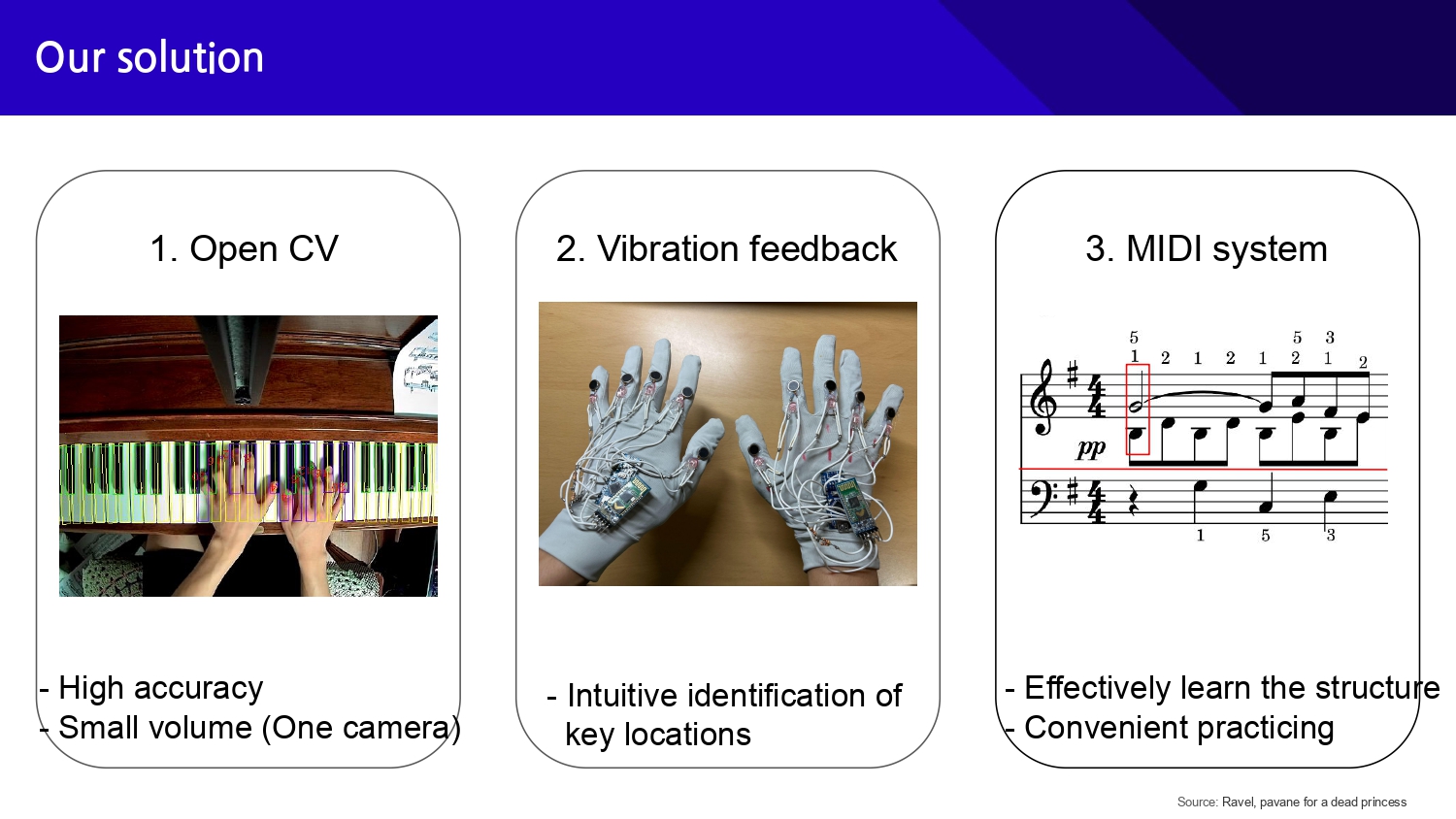 |
Our solution uses a camera and a glove to track the user's hand movements, while a MIDI system plays the song, allowing for convenient practice without sheet music.
Unlike existing solutions, our system is easy to install, requiring only a central computer, a camera, and a glove.
The central computer processes the camera’s input to recognize hand positions, and the glove provides vibration feedback, guiding the user on which keys to press. This creates an intuitive and accessible way to practice music.
|
|
ICACT20250052 Slide.04
[Big slide for presentation]
|
Chrome Text-to-Speach Click!! |
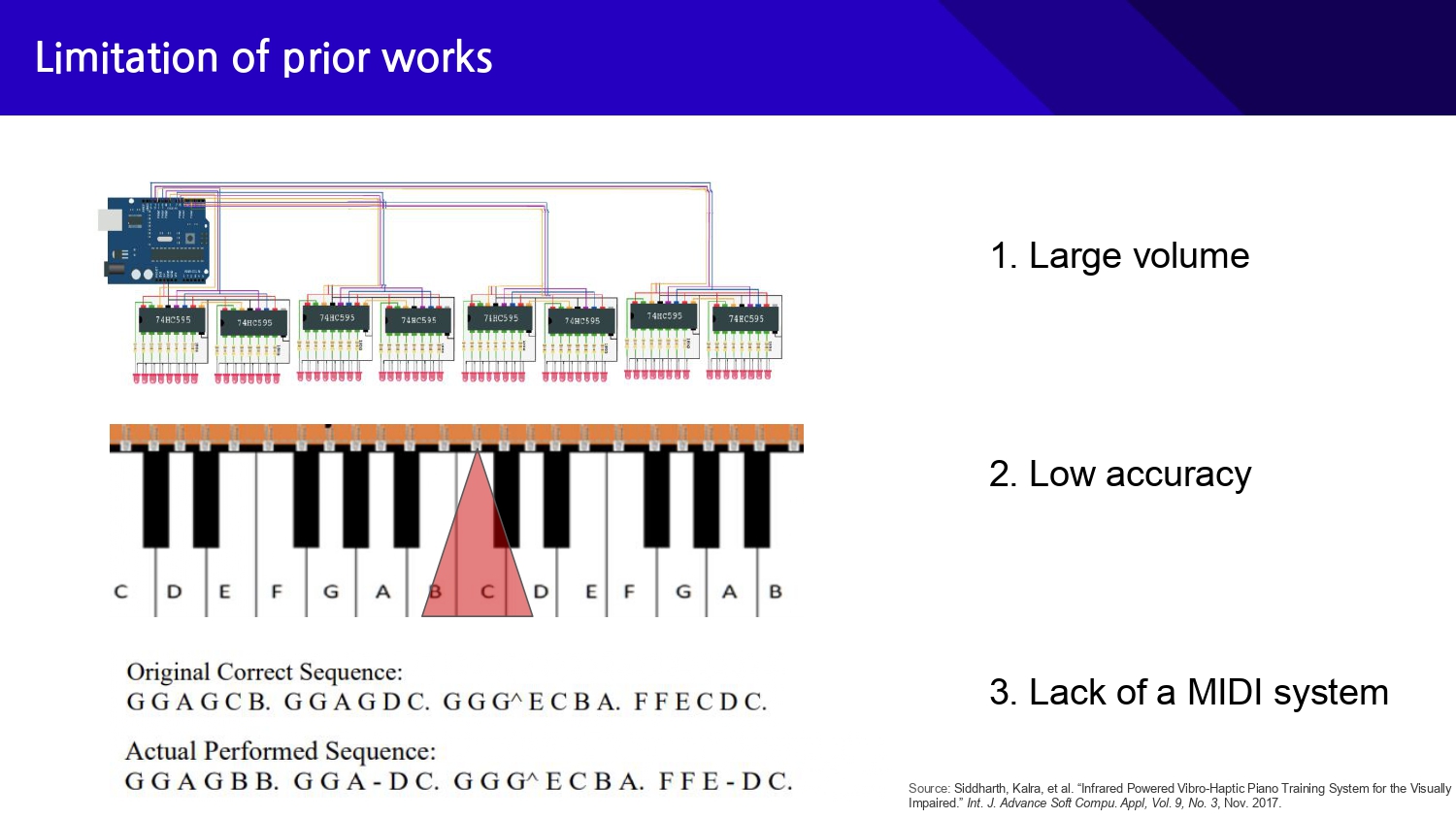 |
Next, I will explain the limitations of prior works.
In an existing study, the infrared LED light from a specific key was recognized by a sensor attached to the glove to provide vibration feedback to a specific finger.
That is why infrared LEDs are attached to each of the 88 keys.
Therefore, the large volume of the device containing 88 LEDs makes it impractical to use.
In addition, due to the spreading nature of infrared light, vibration feedback can be provided even if the fingers are not exactly positioned on a specific key, resulting in low accuracy.
Also, due to the lack of a systematic MIDI system that breaks down the music and plays it to the user first, it is difficult to practice even slightly complex pieces.
|
|
ICACT20250052 Slide.03
[Big slide for presentation]
|
Chrome Text-to-Speach Click!! |
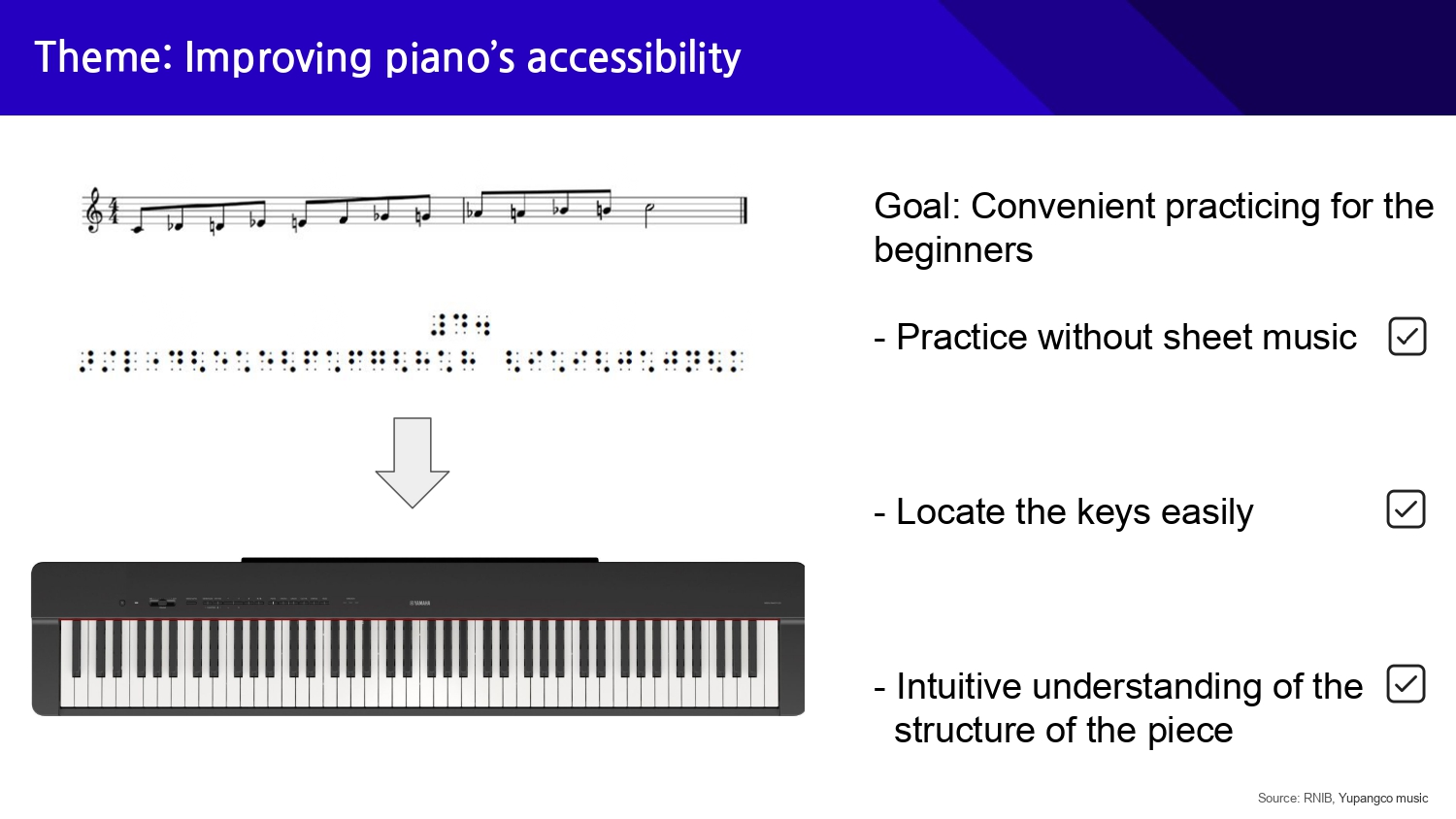 |
As one way to do this, we decided to develop a device that improves piano accessibility for visually impaired people.
Usually, non visually-impaired players learn the notes, beats, and structure through sheet music and then play the piano while directly looking at the keys.
However, beginner visually impaired players need Braille sheet music, and it is not easy to find the location of the keys without visual assistance.
Therefore, we aim to provide convenient practice experience for beginner visually impaired players.
In detail, we decided to develop a device that enables practice without the help of Braille sheet music.
In addition, we decided to include features that help visually impaired people easily identify the location of the keys they need to play and intuitively understand the structure of the piece.
|
|
ICACT20250052 Slide.02
[Big slide for presentation]
|
Chrome Text-to-Speach Click!! |
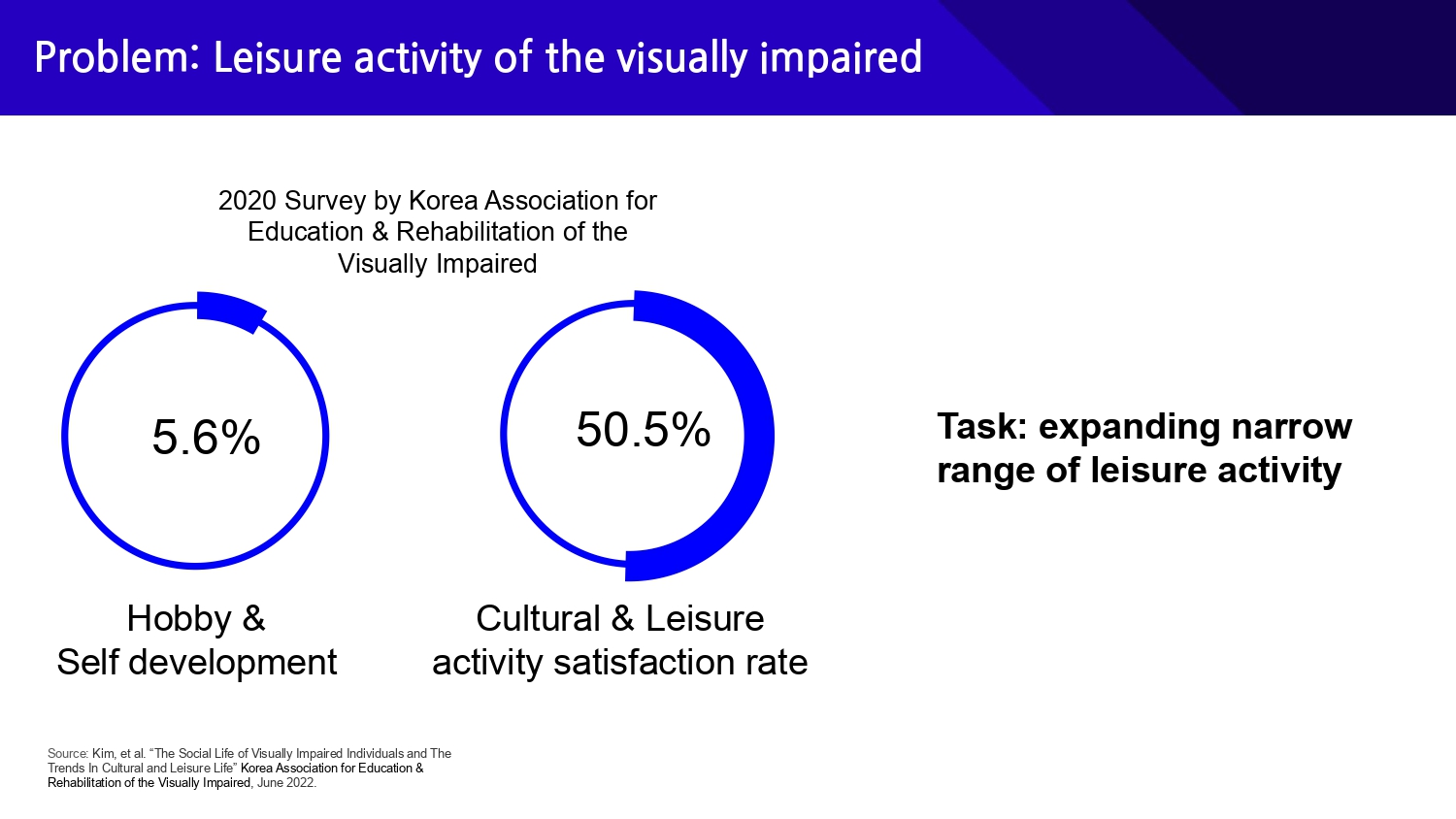 |
According to the survey results conducted by the Korean Society for Education and Rehabilitation of the Visually Impaired in 2020, only 5.6% of visually impaired people enjoy hobbies and self-development activities, and only about half of visually impaired people are satisfied with their cultural and leisure activities.
Therefore, we set out to improve the quality of their leisure life by expanding the narrow scope of leisure activities for visually impaired people.
|
|
ICACT20250052 Slide.01
[Big slide for presentation]
|
Chrome Text-to-Speach Click!! |
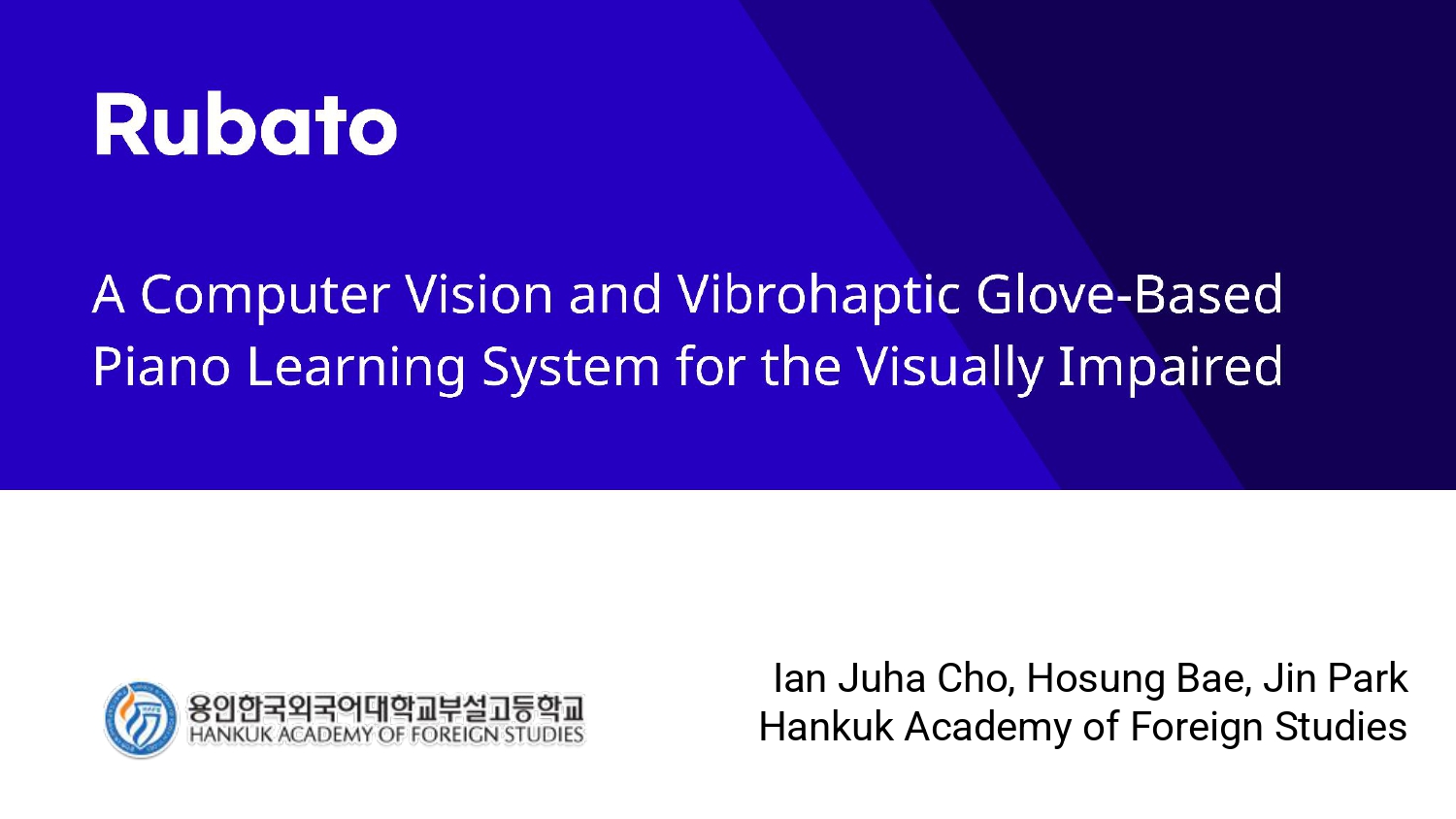 |
Hello, We are Ian Juha Cho, Hosung Bae, Jin park.
We will present our project about a computer vision and vibrohaptic glove-based piano learning system for the visually impaired.
|